
GIMP
A powerful image composition and graphic editing app, similar to Adobe® Photoshop™.
Looking for a ready-to-go desktop environment brimming with free and open source multimedia production and publishing tools? Try the Design Suite, a Fedora Spin created by designers, for designers.
The Design Suite includes the favorite tools of the Fedora Design Team. These are the same programs we use to create all the artwork that you see within the Fedora Project, from desktop backgrounds to CD sleeves, web page designs, application interfaces, flyers, posters and more. From document publication to vector and bitmap editing or 3D modeling to photo management, the Design Suite has an application for you — and you can install thousands more from the Fedora universe of packages.
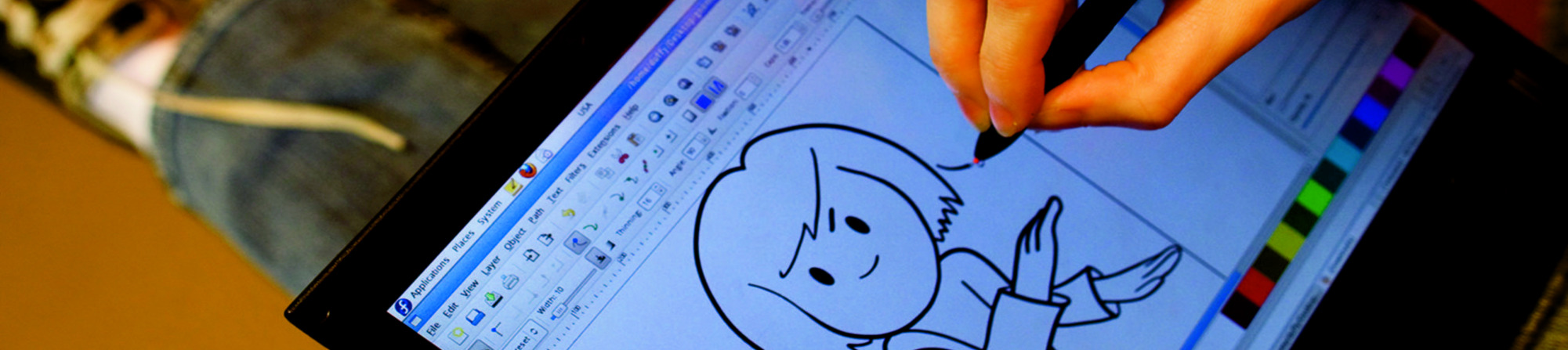
A powerful image composition and graphic editing app, similar to Adobe® Photoshop™.

An easy-to-use vector graphics editor, similar to Adobe® Illustrator™.

An all-in-one 3D graphics suite, with tools for modeling, animation, rendering and post-production.

A virtual light-table and darkroom for photographers; includes tools to develop and enhance raw images.

A creative sketching and digital painting app, modeled on real-life painting materials and workflows.

A desktop publishing and page layout application with professional publishing features.

Easy file sharing based on git. Share, backup, and collaborate on design assets.

A powerful multi-track non-linear video editor that includes editing, transcoding, effects and transitions.

Manage, install, and generate color profiles for your desktop. Keep your screen calibrated!
تاريخ الإصدار: الثلاثاء، ٢٣ أبريل ٢٠٢٤
Show Beta downloads
حالما تفرغ من تحميل صورة، احرص أن تتحقق من أمانها وموثوقيتها.
بحساب تدقيق المجموع للصورة على حاسبك ومقارنة الناتج لتدقيق المجموع الأصلي، ستتأكد من أن الصورة لم يُتلاعب بها وأنها لم تفسد. الصور أيضا مُوقّعة بمفاتيح فيدورا التشفيرية لتأكيد سلامتها.
Click the verify button to download the checksum file for your downloaded image.
استيراد مفاتيح تشفير فيدورا
curl -O https://fedoraproject.org/fedora.gpg
يمكنك التحقق من تفاصيل مفتاح(مفاتيح) GPG هنا.
تحقق من أن ملف تدقيق المجموع صالح
gpgv --keyring ./fedora.gpg Fedora-Labs-40-1.14-*-CHECKSUM
تحقق من أن تدقيق المجموع مساوٍ
sha256sum -c Fedora-Labs-40-1.14-*-CHECKSUM
إذا نص الخرج على أن الملف صالحٌ، إذا فهو جاهز للاستخدام!
By clicking on and downloading Fedora, you agree to comply with the Fedora Export Control Policy.