

Download Fedora Silverblue 40
We're so glad you've decided to give Fedora Silverblue a try. We know you'll love it.
DATUM VAN UITBRENGEN: dinsdag 23 april 2024

Fedora Media Writer
Ga aan de slag met Fedora Media Writer, wat het super eenvoudig maakt om Fedora eens te proberen. Meer informatie
Wil je gewoon een ISO-bestand?
Weet je niet zeker hoe je deze bestanden moet gebruiken? Leer hier
We nemen veiligheid serieus
Zodra u een schijfbestand heeft gedownload, verifieer het dan voor zowel veiligheid als integriteit.
Door de controlesom van het schijfbestand op uw computer te berekenen en dit te vergelijken met de originele controlesom, kunt u verifiëren dat er niet met het schijfbestand is geknoeid of dat het gecorrumpeerd is geraakt. Schijfbestanden zijn ook gpg-ondertekend met sleutels van Fedora om hun integriteit aan te tonen.
Klik op de verificatieknop om instructies te krijgen die zijn toegesneden op uw download.
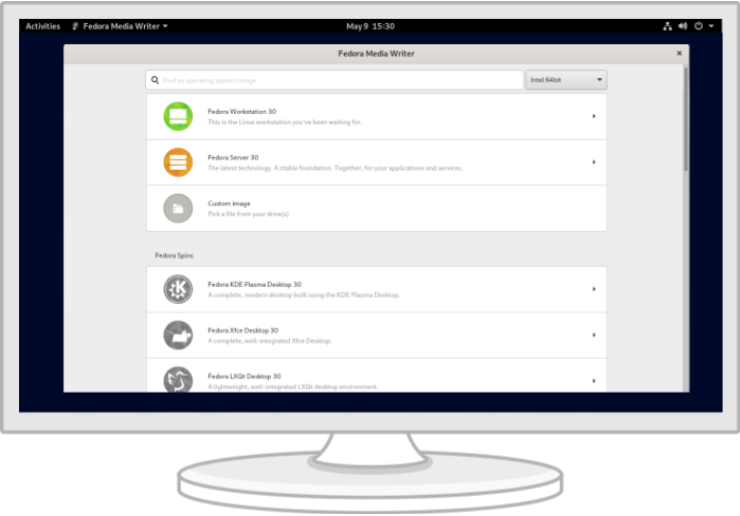
Fedora Linux uitproberen met een geprepareerde USB-stick
Aan de slag gaan met Fedora is eenvoudiger dan ooit. Het enige dat je nodig hebt is een USB-flashdrive van 2 GB en Fedora Media Writer. Zodra Fedora Media Writer geïnstalleerd is, zal het je flashdrive instellen om een "Live" versie van Fedora Workstation te draaien, wat betekent dat je het vanaf je flashdrive kunt opstarten en het meteen kunt uitproberen zonder permanente veranderingen aan je computer aan te brengen. Als je eenmaal verslaafd bent, is het installeren op je harde schijf een kwestie van op een paar knoppen klikken*.
* Fedora Linux heeft voor de installatie en een goede werking minima van 20 GB aan permanente opslagcapaciteit en 2 GB aan RAM nodig. De dubbele hoeveelheden worden aanbevolen.
Wordt een bijdrager van Fedora
Als u goed en wel Fedora Linux geïnstalleerd heeft, waarom zou u zich dan niet aansluiten bij één van onze online gemeenschappen en daaraan bijdragen?
Ruimten die officieel worden ondersteund door Fedora



Ruimten die door de gemeenschap onderhouden worden
 /r/fedora
 Fedora Discord
 Telegram
Door Fedora Linux te downloaden, gaat u akkoord met de Fedora Export Control Policy.