
GIMP
A powerful image composition and graphic editing app, similar to Adobe® Photoshop™.
Looking for a ready-to-go desktop environment brimming with free and open source multimedia production and publishing tools? Try the Design Suite, a Fedora Spin created by designers, for designers.
The Design Suite includes the favorite tools of the Fedora Design Team. These are the same programs we use to create all the artwork that you see within the Fedora Project, from desktop backgrounds to CD sleeves, web page designs, application interfaces, flyers, posters and more. From document publication to vector and bitmap editing or 3D modeling to photo management, the Design Suite has an application for you — and you can install thousands more from the Fedora universe of packages.
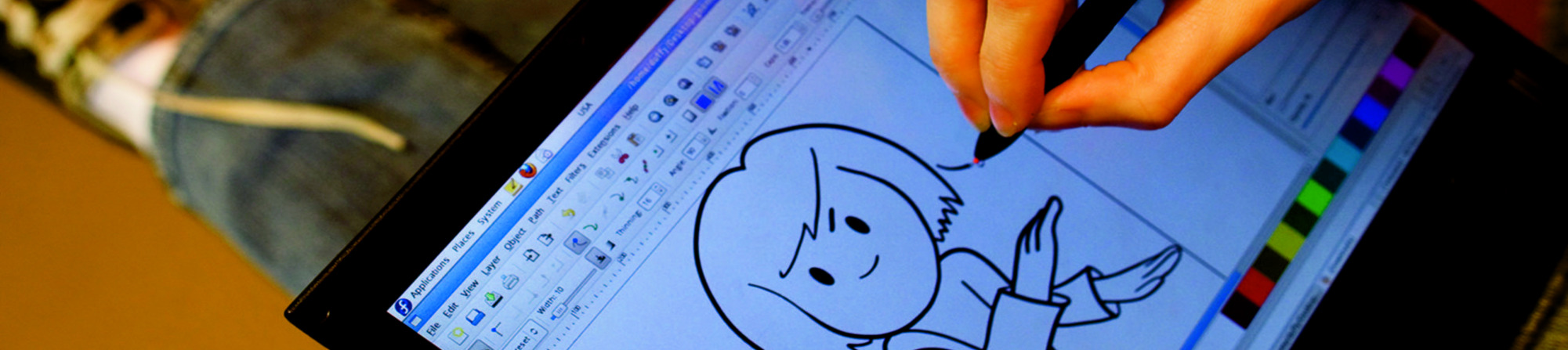
A powerful image composition and graphic editing app, similar to Adobe® Photoshop™.

An easy-to-use vector graphics editor, similar to Adobe® Illustrator™.

An all-in-one 3D graphics suite, with tools for modeling, animation, rendering and post-production.

A virtual light-table and darkroom for photographers; includes tools to develop and enhance raw images.

A creative sketching and digital painting app, modeled on real-life painting materials and workflows.

A desktop publishing and page layout application with professional publishing features.

Easy file sharing based on git. Share, backup, and collaborate on design assets.

A powerful multi-track non-linear video editor that includes editing, transcoding, effects and transitions.

Manage, install, and generate color profiles for your desktop. Keep your screen calibrated!
ДАТА ВИХОДУ: вівторок, 23 квітня 2024 р.
Коли завантажите образ для встановлення системи, обов'язково впевніться, що він безпечний і не містить помилок.
Щоб перевірити образ на ознаки пошкодження чи шкідливих маніпуляцій, треба обчислити його контрольну суму на вашому комп'ютері та порівняти її з початковою. На додачу всі наші оригінальні образи підписані GPG-ключами Fedora.
Click the verify button to download the checksum file for your downloaded image.
Імпортуйте GPG-ключі Fedora
curl -O https://fedoraproject.org/fedora.gpg
Ви можете перевірити подробиці ключа(ів) GPG here.
Перевірте чинність файлу контрольної суми
gpgv --keyring ./fedora.gpg Fedora-Labs-40-1.14-*-CHECKSUM
Упевніться, що контрольні суми збігаються
sha256sum -c Fedora-Labs-40-1.14-*-CHECKSUM
Якщо бачите повідомлення, що файл цілий, ним можна користуватися!
By clicking on and downloading Fedora, you agree to comply with the Fedora Export Control Policy.